
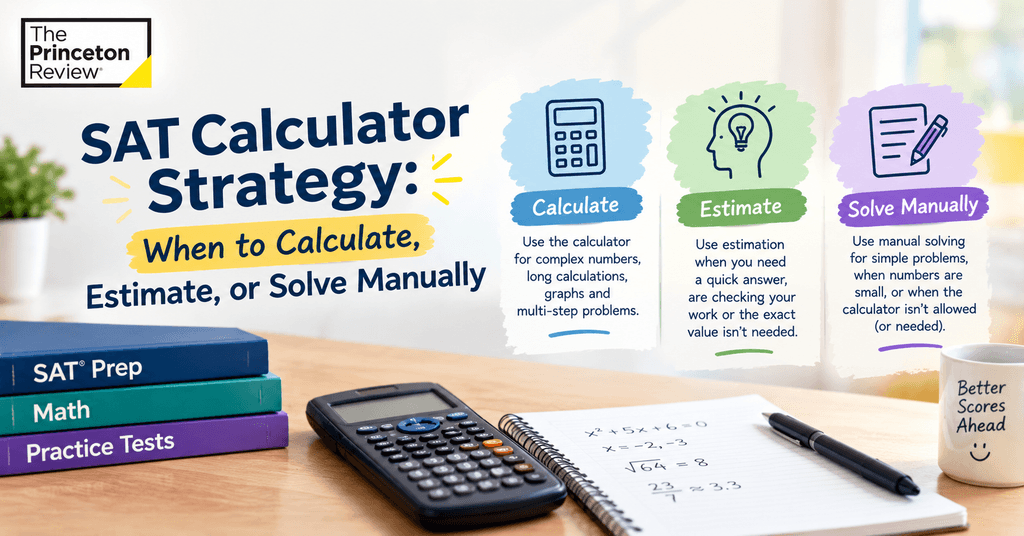
Last week, a student burned almost two full minutes on a question that should’ve taken fifteen seconds. The math itself wasn’t hard. She just reached for the calculator out of habit, typed in a fraction, second-guessed herself, cleared it, typed it again — and by the time she finally had an answer, she could’ve gotten through three other questions in that same stretch of time. Her math skills weren’t the issue. Her instincts about when to actually use the calculator were.
That’s really the whole conversation students need to have with themselves before test day. The digital SAT now gives you calculator access for the entire Math section, which sounds like a gift, and mostly is. But unlimited access isn’t the same thing as knowing when to use it. Some questions genuinely need a calculator. Others just need a rough estimate. And a fair number are honestly faster to work out by hand. Mixing those three up costs time you don’t get back, and on a section where every minute is accounted for, that adds up fast.
What’s Actually Allowed in 2026 and 2027
Before getting into strategy, it’s worth being clear on the current rules, since they’ve shifted a bit over the past year or so.
The built-in Desmos calculator is available for the whole Math section now, not just part of it. It lives inside Bluebook, the College Board’s testing app, and works in both graphing and scientific modes — you can drag the window around, switch modes, and it’s there for every single question.
You can also bring a handheld calculator if you’d rather use something you’re already familiar with, but as of the August 2025 SAT administration, calculators with computer algebra system (CAS) functionality — the kind that can factor polynomials or solve equations symbolically, like the TI-89 Titanium or TI-Nspire CAS — are no longer allowed anywhere in the SAT Suite. If your device handles algebra automatically, leave it home; bringing one can mean it gets confiscated at check-in.
Approved handhelds still include models like the TI-84 Plus CE and Casio fx-9750GII. Phones, smartwatches, tablets, and anything with a QWERTY keyboard, camera, or wireless connection are banned outright, whether or not they happen to have a calculator function tucked inside somewhere.
Most students, in practice, end up relying almost entirely on the built-in Desmos tool anyway. It’s always there, it never runs out of battery, and everyone taking the test has equal access to it — so it’s not really giving anyone a leg up over anyone else. Worth knowing too: College Board reviews and can update this policy annually, so it’s smart to double-check the official page close to your actual test date rather than trust an old prep article.
The bigger point buried under all of this is that having a calculator available for every question doesn’t mean every question deserves one.
Three Approaches, and When Each One Actually Wins
Here’s the real decision you’re making dozens of times over during the Math section, because it genuinely comes down to three distinct moves
| Approach | Best for | Rough time cost |
| Manual calculation | Simple arithmetic, basic algebra, one-step logic | 5–15 seconds |
| Estimation | Widely spread answer choices, “which is closest to” questions | 10–20 seconds |
| Calculator | Multi-step equations, systems, messy decimals, graphing | 20–45 seconds |
Notice what that table is quietly telling you: the calculator is usually the slowest of the three options when it isn’t actually needed. It’s a genuinely great tool for the right job, and a real time sink for the wrong one.
When to Just Solve It in Your Head
A lot of students reach for a calculator on things they could honestly solve faster mentally. Find 15% of 40, or solve something like 3x + 6 = 21 — typing that into Desmos usually eats up more time than just doing the arithmetic in your head.
A rough rule: if you can picture the answer within three seconds of reading the question, don’t bother reaching for the calculator at all. Using it anyway isn’t wrong, exactly. It’s just slower, and slower adds up over a 44-question section faster than most students expect.
When Estimating Beats an Exact Answer
Estimation gets underused, mostly because students feel like it’s somehow cheating — as if the SAT wants exact precision on every single question. It doesn’t. A lot of digital SAT math questions hand you answer choices spread far enough apart that you don’t need an exact value at all.
Say a question asks which of four values is closest to the solution of some fairly involved expression, and your choices are 12, 47, 103, and 210. You don’t need to calculate that expression to the decimal. You need a rough sense of scale, and that’s genuinely it. Rounding before you calculate, or eyeballing a graph’s shape instead of plotting every single point, saves real time without costing you the right answer.
When the Calculator Genuinely Earns Its Keep
None of this is an argument against using the calculator. Some questions are built specifically for it, and trying to muscle through them by hand just wastes time and invites careless mistakes.
Systems of equations with awkward coefficients are one example — solving two equations by hand with fractional or decimal coefficients is basically asking for an arithmetic slip somewhere along the way. Anything involving graphing is another; Desmos can show you where a parabola crosses the x-axis or where two lines intersect, far faster than you could sketch it out yourself. Questions with genuinely messy numbers — several decimal places, an ugly square root — are also worth punching in rather than risking a manual error under time pressure. And if time allows, checking your work on a question you’re unsure about is often faster by plugging an answer choice back into an equation than by re-deriving the whole thing from scratch.
Building the Right Instincts Before Test Day
Most students skip this part, and it’s the one that matters most. Knowing the three approaches exist is one thing — actually making the right call under pressure is another. By the time you’re mid-exam with the clock running, you shouldn’t be reasoning your way through the decision. It needs to just happen.
A few habits worth building in the weeks before your test:
- Time yourself both ways. Work through a batch of simple algebra questions using the calculator, then again solving them mentally, and actually compare the results. Students are usually surprised by the gap.
- Get genuinely comfortable inside the real Bluebook Desmos interface, not some generic online graphing calculator you found while practicing. It has its own quirks, and fumbling with an unfamiliar layout on test day costs real seconds you don’t have to spare.
- Practice estimating during full-length practice tests, not just on test day. If you’re trying it for the first time under real pressure, you won’t trust your own rough numbers enough to actually commit to them.
- Flag your own patterns. Some students consistently overuse the calculator on things they could solve manually in seconds. Others underuse it and waste time wrestling with messy arithmetic by hand. Knowing your own tendency matters more than knowing the general rule.
How The Princeton Review Can Help
Calculator strategy is one of those things that sounds simple in an article and feels completely different once you’re sitting in front of a timed section with the clock actually running. That gap is exactly where structured practice makes a real difference.
Our SAT instructors sit down with students through full timed math sections and catch exactly where the time is disappearing — maybe they’re leaning on the calculator for stuff that didn’t call for it, or avoiding it on problems where doing the math by hand invited a mistake that was easy to prevent. We don’t treat calculator use as its own separate skill to teach.
It gets folded into every practice session instead, so the call between calculating, estimating, and working it out manually starts to feel automatic long before test day shows up. And when a student’s math score is really being held back by pacing rather than gaps in what they know, that’s usually the quickest thing to fix — which is often exactly where we start.
We’ve worked with plenty of students who understood the math perfectly well but kept losing time to small, avoidable decisions during the section. Fixing that one pacing problem alone has moved scores meaningfully for a lot of the students we’ve prepared.
The Real Takeaway
The calculator isn’t the enemy, and it isn’t a shortcut either — it’s one tool among three, and the students who score well on SAT Math tend to be the ones who’ve stopped treating it as the default option for everything. Build the habit of asking “does this actually need a calculator?” before your fingers even move, and you’ll end up with more time left over for the questions that genuinely deserve it.